
The best Wix alternatives depend on why a store is leaving Wix. Shopify is the strongest fit when inventory and multichannel selling are the problem, Squarespace fits a design-led site with a focused catalog and Square Online suits a retailer already running Square POS. BigCommerce, Webflow Ecommerce and WooCommerce solve different problems involving scale, design control and platform ownership.
Moving away from Wix isn't a single software swap. Product data, URL paths, checkout settings, customer records and search visibility all have to survive the change. This comparison focuses on what each alternative does better, what you'll have to rebuild and which fees can change the economics of the move. It's based on current vendor documentation, not hands-on tests.
Which Wix alternative should an ecommerce store choose?
The best Wix alternative depends on whether the store needs stronger operations, more design control or tighter in-person sales integration. Use the shortlist below to match the platform to the job, then test the migration effort before you're locked into a long-term plan.
 Best for product-heavy stores and multichannel sellingShopifyHosted checkout, inventory and multichannel selling in one commerce admin, with an official Wix migration guide.
 Best for design-led brands with a compact catalogSquarespaceDesign-led editing with a product CSV importer, as long as the catalog is physical or service products.
 Best for growing catalogs with a known payment setupBigCommerceHosted storefront and catalog tools, with 2026 GMV tiers and a provider fee to model before you commit.
 Best for retailers combining in-person and online ordersSquare OnlineAn online store that shares items and payments with Square POS, with no monthly fee on the Free plan.
 Best for design-controlled storefronts with smaller catalogsWebflow EcommerceVisual site design with ecommerce plan limits on items and a 2% platform fee on Standard.
 Best for WordPress teams that want full store ownershipWooCommerceFree open-source commerce for WordPress with a built-in product CSV importer, plus hosting and upkeep you own.
What do entry plans charge on top of card processing?
Fees are one place where a move can pay off or backfire. Several hosted alternatives add a platform fee on their entry plan, on top of card processing, and that fee shrinks or disappears on higher tiers. It's easy to miss when you compare subscription prices alone.
Check which of these fees applies to your payment setup before you compare subscription prices. A store that processes everything through the platform's own payments product may never pay the extra fee, while a store tied to a regional gateway can pay it on every order.
How do Wix alternatives compare on price and store fit?
Wix alternatives differ in their starting subscription price, payment costs and catalog constraints. Prices below come from vendor pages checked on November 1, 2026. Squarespace shows prices by region and billing cycle, so its row points you to checkout instead of quoting a number.
| Tool | Category | What it handles | Starting price |
|---|---|---|---|
 Wix | Website builder | Visual editor to catalog and checkout | Core $29/mo billed annually |
| Shopify | Hosted ecommerce | Catalog to checkout and inventory | Basic $29/mo billed annually |
| Squarespace | Website builder | Content to store and checkout | Confirm US price at checkout |
| BigCommerce | Hosted ecommerce | Catalog to storefront and payments | Core $29/mo billed annually |
| Square Online | Online store and POS | Counter and online orders in one system | Free $0/mo; Plus $49/location/mo |
| Webflow Ecommerce | Visual site builder with ecommerce | Custom-designed storefront to checkout | Standard $29/mo billed annually; 2% platform transaction fee |
| WooCommerce | WordPress ecommerce | WordPress products to checkout | Free core; hosting and extensions extra |
Official vendor pages checked November 1, 2026. Annual billing and transaction fees are identified separately.
What should a Wix store preserve during migration?
A Wix migration should preserve the commercial records and URLs that customers and search engines already rely on. Product identifiers, inventory, tax rules, customer data and redirect mapping each need their own migration path, so don't assume a single CSV export completes the move.
- 1Audit store data
- Wix
Check List products, variants, customers and orders. - 2Map URL changes
- Wix
Check Create a redirect list for important pages. - 3Rebuild checkout
- Shopify
- BigCommerce
- Square Online
- Webflow Ecommerce
- WooCommerce
- Squarespace
Check Verify taxes, shipping and payment methods on the new platform. - 4Validate launchCheck Test feeds, redirects and live order processing.
Which Wix data can move with a CSV?
Wix product data usually exports without trouble, but the destination's supported columns and product types differ. Shopify publishes a Wix migration guide, WooCommerce has a built-in product CSV importer and Squarespace documents explicit import limits. Customer records, subscriptions, bookings and historical orders need separate review. Shopify's guide is specific about the gaps: reviews can't be exported from Wix to Shopify, Wix doesn't support exporting digital products, and a product with four or more options imports without its options and variants.
Before importing, normalize SKU uniqueness, variant options, tax status, weights and image references. Your test batch should include one simple product, one product with variants and one item with an unusual shipping rule. Check how the destination represents each case and whether the importer's silently dropping any fields. Keep the original export untouched until the new store's passed reconciliation.
How do redirects protect Wix search traffic?
Redirects protect Wix search traffic by pointing old page addresses at their closest new equivalents, and they're the part teams skip most often. Shopify's official Wix migration guide spells out the difference between Wix product-page paths and Shopify product paths. Other destinations change URL structure too, so you'll need to base the mapping on actual exported URLs.
Prioritize pages that get organic traffic, have external links or show up in customer emails. Verify that each old URL returns a permanent redirect to the right new product or category. Sending everything to the homepage isn't a redirect plan. After launch, watch for broken URLs and update the redirect map as you find them. Keep canonical URLs consistent with the new sitemap, and don't leave chains of redirects behind.
Detailed Wix alternative reviews for online stores
Each alternative below is assessed through store operations, migration effort and pricing constraints. The recommendations are fit judgments based on vendor documentation. They aren't conversion-rate measurements from live stores.
Shopify
Hosted commerce operations with location inventory and processor-dependent fees
A hosted commerce platform for stores where orders, inventory and sales channels have outgrown a website builder.
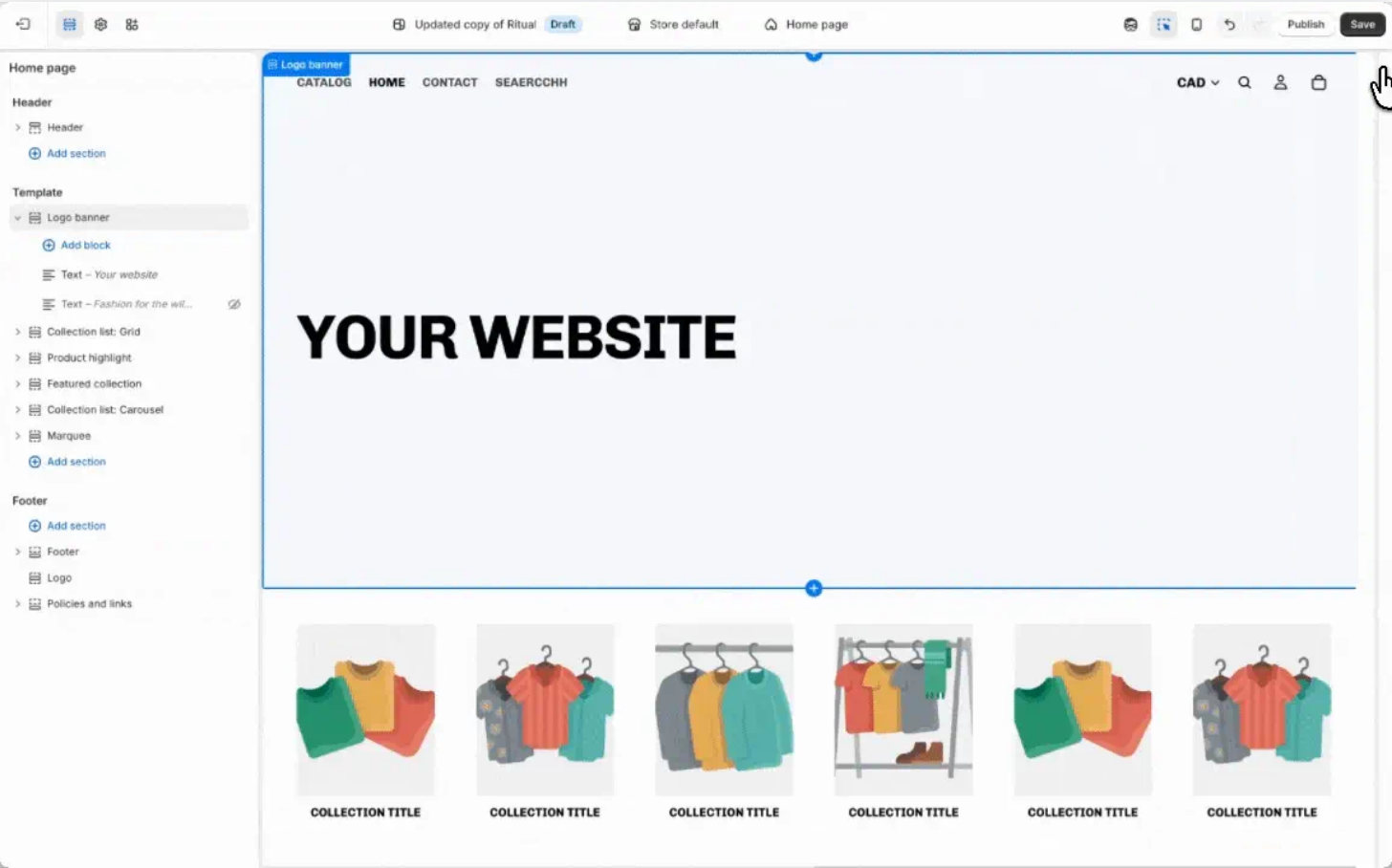
Shopify is a hosted commerce platform for merchants whose main priority is selling products rather than designing a general-purpose website. It's the clearest Wix alternative when order operations, inventory and sales channels are starting to dominate the team's week. A design-first site can still work on Shopify, but it's not the reason to move. The practical reason to migrate is the commerce operating model, not matching the old template pixel for pixel.
A growing store often handles product variants, returns, shipping and promotions in separate Wix workflows, and that's where the friction starts. Shopify centralizes more of those tasks in the commerce admin and publishes plan-level staff and payment features. Its current US pricing page lists Basic at $29 per month when billed annually and $39 on monthly billing. Payment processing, apps and any premium theme are additional cost decisions, so compare a complete monthly operating budget rather than just the plan label.
Shopify has a dedicated migration guide for Wix. The guide points out that Wix product URLs commonly use a product-page path, while Shopify uses a products path, so redirects must be planned rather than assumed. Export products, audit SKUs and variant options, then import a small sample before moving the full catalog. Recreate collection navigation and test tax, shipping and discounts with real orders; don't rely on previews. Preserve a map of every important URL and verify redirects after the domain switch.
Shopify's free Store Migration app can import the Wix product and customer CSV files, while order history needs a third-party migration app. Reviews can't come across from Wix, so decide beforehand where review content will live. Shopify also charges a third-party gateway fee of 2.0% on Basic, falling to 1.0% on Grow, 0.6% on Advanced and 0.2% on Plus, which only applies when you don't use Shopify Payments. A product CSV can also assign only one collection per product, which matters if the Wix catalog's categories overlap. You'll need to pick a primary collection for each item.
Shopify is less attractive if the site is mainly editorial content with a small donation or service checkout. Some visual effects and custom Wix pages you'll have to rebuild, and a complex store can accumulate paid app subscriptions. Check how each app handles data export before you migrate, since you'll want a way out later. Choose Shopify when the value of stronger store operations outweighs the redesign effort. Skip it if your commerce requirements are modest and the Wix site's already converting well.
- inventory, returns and channels are the daily workload, not the homepage
- you want an official Wix migration guide and a free import app
- the site is mainly editorial content with a small checkout
- you rely on a payment gateway outside Shopify Payments and the extra fee matters
- Starting price
- Basic $29/mo billed annually
- Monthly billing
- Basic at $39/mo
- Wix import route
- Free Store Migration app for product and customer CSVs
- Does not migrate
- Reviews, Wix digital products, products with four or more options
Squarespace
Content-first commerce with Basic plan transaction fee
A design-led website and commerce platform for brands with a manageable physical or service catalog.
Squarespace is a website and commerce platform that suits design-led brands whose product catalog is manageable and whose editorial pages matter as much as checkout. It's a sensible alternative to Wix for a studio, small homeware brand or creator selling a limited set of physical products. The decision isn't about which editor has more decorative controls. It's about whether the site structure stays maintainable as the catalog grows.
Squarespace's current plan family is Basic, Core, Plus and Advanced. Its official help center describes different commerce fees, contributor permissions and payment processing rates by plan. For example, Core removes the additional commerce transaction fee while Squarespace Payments still charges its card processing fee. Squarespace's US subscription prices depend on the billing cycle, so confirm the current figure at checkout. The fee side is clearer: Basic adds a 2% commerce transaction fee, while Core, Plus and Advanced don't.
Squarespace documents a product CSV importer, but its official guide lists limitations too. Physical and service products can be imported, but download products aren't part of that CSV route. Customer records aren't imported through that product tool. Before committing, list what the Wix site sells, including digital downloads, memberships, subscriptions and bookings. A product-only import can leave customer relationships or entitlements behind, so map those separately and test a few representative orders.
Squarespace's import guide says a version 7.1 site can hold up to 10,000 products with up to 250 variants each, and subscriptions can't move between sites. Squarespace Payments lists US domestic card rates of 2.9% + $0.30 on Basic and Core, 2.7% + $0.30 on Plus and 2.5% + $0.30 on Advanced, so the plan choice changes both the transaction fee and the card rate.
Squarespace isn't a shortcut around a complicated migration. The original Wix layout, forms and dynamic content may need manual reconstruction, and you'll want to test third-party integrations on the target plan. For a store with deep inventory requirements or multiple warehouse operations, Shopify or BigCommerce is likely a more natural shortlist. Choose Squarespace when design consistency, manageable editing and a focused catalog are the real goals.
- design consistency and editorial pages matter as much as checkout
- the catalog is physical or service products you can import from a CSV
- you sell digital downloads, memberships or subscriptions that must move over
- you need multi-warehouse inventory or deep order operations
- Starting price
- Confirm US price at checkout
- Plans
- Basic, Core, Plus, Advanced
- Commerce fee
- 2% on Basic, none on Core, Plus and Advanced
- CSV import
- Physical and service products only, no customers
BigCommerce
GMV-based plan thresholds and Open Payment Provider Fee
A hosted ecommerce platform with a commerce-first admin, aimed at catalogs and order volumes that keep growing.
BigCommerce is a hosted ecommerce platform for stores that want a commerce-focused admin and room for a larger catalog. It belongs on a Wix alternative shortlist when you've moved beyond a simple website into a business with real operational complexity. The main comparison isn't visual editing speed. It's how products, orders, channels, payment providers and platform fees behave as sales increase.
BigCommerce changed its self-service pricing model in 2026. Its official US pricing page now labels plans Core, Growth, Scale and Performance, with Core at $29 per month when billed annually and $39 on monthly billing. The page also explains trailing GMV thresholds, automatic upgrades and an Open Payment Provider fee for eligible orders processed outside its embedded provider list. If your store uses a particular gateway, calculate the effect of that fee before assuming BigCommerce doesn't add a platform transaction cost.
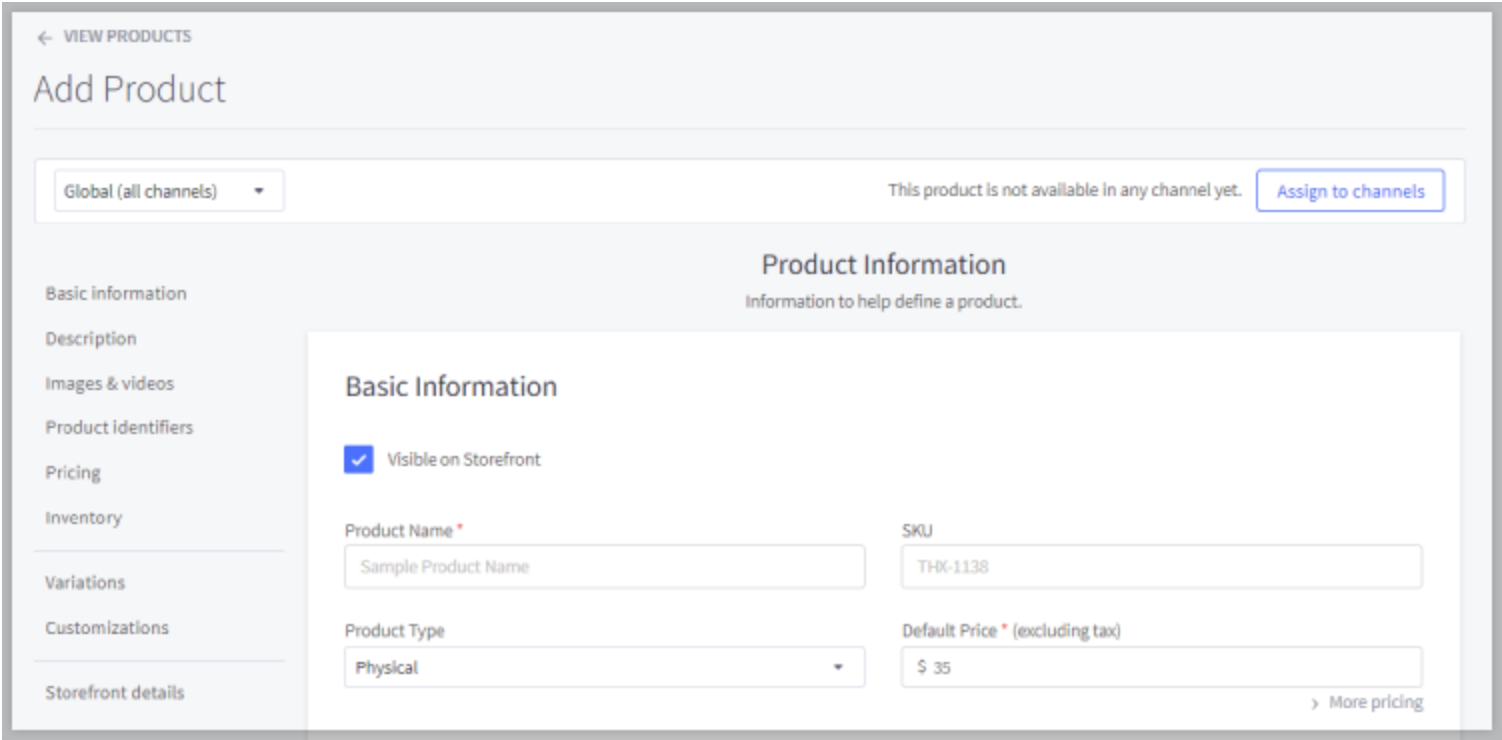
For a Wix migration, map catalog identifiers, option sets, customer accounts and promotions before importing. If you sell many variants, check how BigCommerce represents product options and how those options appear in marketplace feeds. Test the full order lifecycle, including tax, refunds, gift cards and inventory updates. Don't stop at a single checkout. If the business uses several sales channels, verify that channel-specific stock and listing rules have a defined owner rather than relying on a vague promise of synchronization.
BigCommerce says its Core plan is for stores with up to $30K in trailing annual GMV, after which the plan upgrades automatically. The Open Payment Provider fee is 2.0% on Core, 1.0% on Growth and 0.6% on Scale. Providers on BigCommerce's embedded list, including Stripe, PayPal, Adyen, Klarna, Affirm and BigCommerce Payments, carry no such fee, and the page says that list may change. BigCommerce's page puts the start at June 1, 2026 at the earliest, so confirm when the rules apply to your own contract.
BigCommerce isn't necessarily the fastest way to reproduce a brochure-style Wix website. The team may need design support for custom page experiences, and a change in payment-provider fee can wreck the cost model you've built. The annual plan price isn't the same as the total cost of payment processing or extensions. Choose BigCommerce when commerce operations and a clear provider policy are important. Skip it when the business mainly wants a flexible drag-and-drop site with only occasional sales.
- you can model sales volume against the 2026 GMV plan tiers
- your payment provider is on BigCommerce's embedded list or you accept the fee
- you want a flexible drag-and-drop brochure site with occasional sales
- you need a fixed bill regardless of which payment provider you use
- Starting price
- Core $29/mo billed annually
- Monthly billing
- Core at $39/mo
- Open Payment Provider fee
- 2.0% Core, 1.0% Growth, 0.6% Scale
- Core GMV band
- Up to $30K trailing annual sales
Square Online
Online store that shares items, payments and orders with Square's point of sale
A storefront for merchants who already sell in person on Square, with Free, Plus and Premium plans.
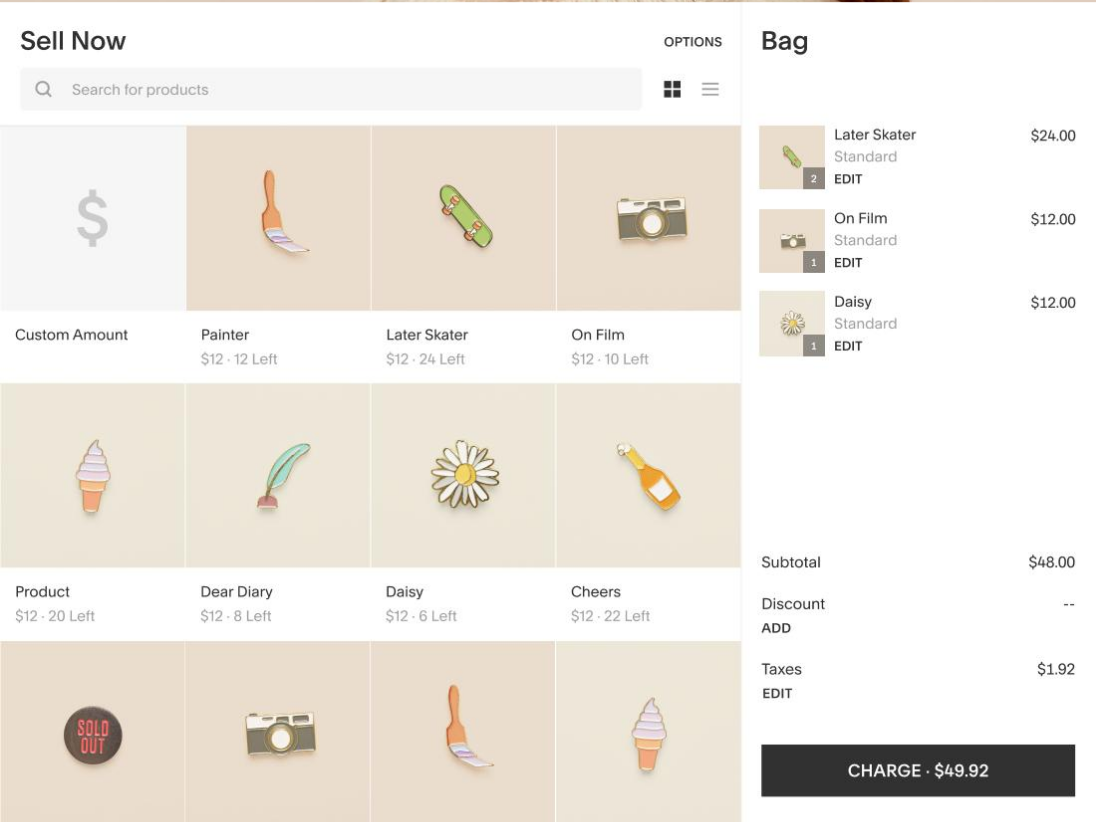
Square Online is the online storefront within Square's broader commerce ecosystem. It's most relevant when you already accept in-person payments through Square and want online orders to share the same operational context. For a local retailer, a consistent item catalog and simple fulfillment workflow often matter more than another layer of website customization.
Square's current US plans use Free, Plus and Premium. Square's pricing page says Square Free has no monthly subscription charge, though payment processing still applies. Square's support documentation lists online card processing on Free at 3.3% plus 30 cents, compared with 2.9% plus 30 cents on Plus and Premium. Those are transaction costs, not subscription fees, and they're what changes your margin. For a shop with both in-person and online sales, the right plan depends on payment mix and location count.
Start by auditing the Wix product catalog and any POS item IDs you've already set up. Don't let the migration create duplicate products with different inventory counts across channels. Recreate pickup windows, delivery options and store hours, then place an order online and fulfill it from the physical location. Check that taxes, refunds and stock changes appear in the expected dashboards. If the store already uses Square POS, the pilot can focus on whether online orders fit the workflow your staff already know.
Square's fee table lists in-person card processing at 2.6% + 15 cents on Free, 2.5% + 15 cents on Plus and 2.4% + 15 cents on Premium, so the plan also affects the store counter. Square's documentation describes a bulk item import in the Dashboard item library, using a spreadsheet or CSV, rather than a Wix-specific importer, so plan on exporting the Wix catalog and mapping it to Square's columns.
Square Online isn't compelling for a large content-led brand that needs a distinctive editorial experience or complex international commerce. Subscription tiers and transaction fees need to be modeled for the actual number of locations. A Wix site with extensive custom pages may require a redesign rather than a direct transfer. Choose Square Online when the physical store is the operational center of the business, and consider another platform when digital catalog merchandising is the dominant requirement.
- the physical store is the operational center of the business
- you already take card payments in person through Square
- you run a large content-led brand that needs a distinctive editorial design
- you sell across many countries with complex international rules
- Starting price
- Free $0/mo; Plus $49/location/mo
- Plans
- Free, Plus, Premium (per location)
- Online card rate
- 3.3% + 30 cents on Free, 2.9% + 30 cents on Plus and Premium
- Wix import route
- Spreadsheet or CSV into the item library
Webflow Ecommerce
Visual site builder with ecommerce plans that cap catalog items and add a 2% fee on the Standard tier
A visual website platform with ecommerce plans, built for stores where storefront design is a differentiator.
Webflow Ecommerce is a visual website platform with dedicated ecommerce plans. It suits a brand whose storefront design really matters and whose product catalog fits the published plan limits. The reason to leave Wix for Webflow is greater control over a custom visual system. It doesn't mean ecommerce operations get simpler. You'll need someone who can maintain the design system as well as the store.
Webflow's official pricing page lists Standard ecommerce at $29 per month billed annually, with 500 ecommerce items and a 2% platform transaction fee in addition to payment processing. Plus and Advanced have larger item allowances and don't list a Webflow transaction fee. Those details make catalog size and sales volume part of the design decision. If your brand has hundreds of variants, count products and variants against the actual plan definition before you sign up.
A Webflow migration from Wix involves rebuilding page layouts and product structures rather than importing an identical site. Audit CMS collections, editorial landing pages and product metadata separately. Test the new design for mobile navigation, search discoverability and checkout friction. For product feeds, verify that SKU, availability, price and currency can be exported consistently. A beautiful page isn't much use if the marketplace feed it drives holds stale or incomplete product data.
Webflow counts every product, every variant (SKU) and every category as an item, so one product with six variants uses seven items. A product tops out at 50 variants. Webflow can import products from a CSV of up to 4 MB in the Designer, but a product whose handle already exists isn't imported, and an error in any row skips that product and its variants.
Webflow Ecommerce is a poor default if you've got extensive warehouse, B2B or complex inventory needs. Its visual flexibility comes with a maintenance burden, and you'll feel the plan limits sooner than you'd expect. Don't compare the $29 annual-billing reference to Wix without adding the 2% fee and payment processing. Choose Webflow when a distinctive design is worth the extra operational attention. Skip it if the business mostly needs deep retail operations and channel management.
- a custom visual system is worth the extra design maintenance
- your catalog fits the plan's item allowance
- you need warehouse, B2B or multichannel operations out of the box
- you plan to stay on Standard at high volume and the 2% fee would add up
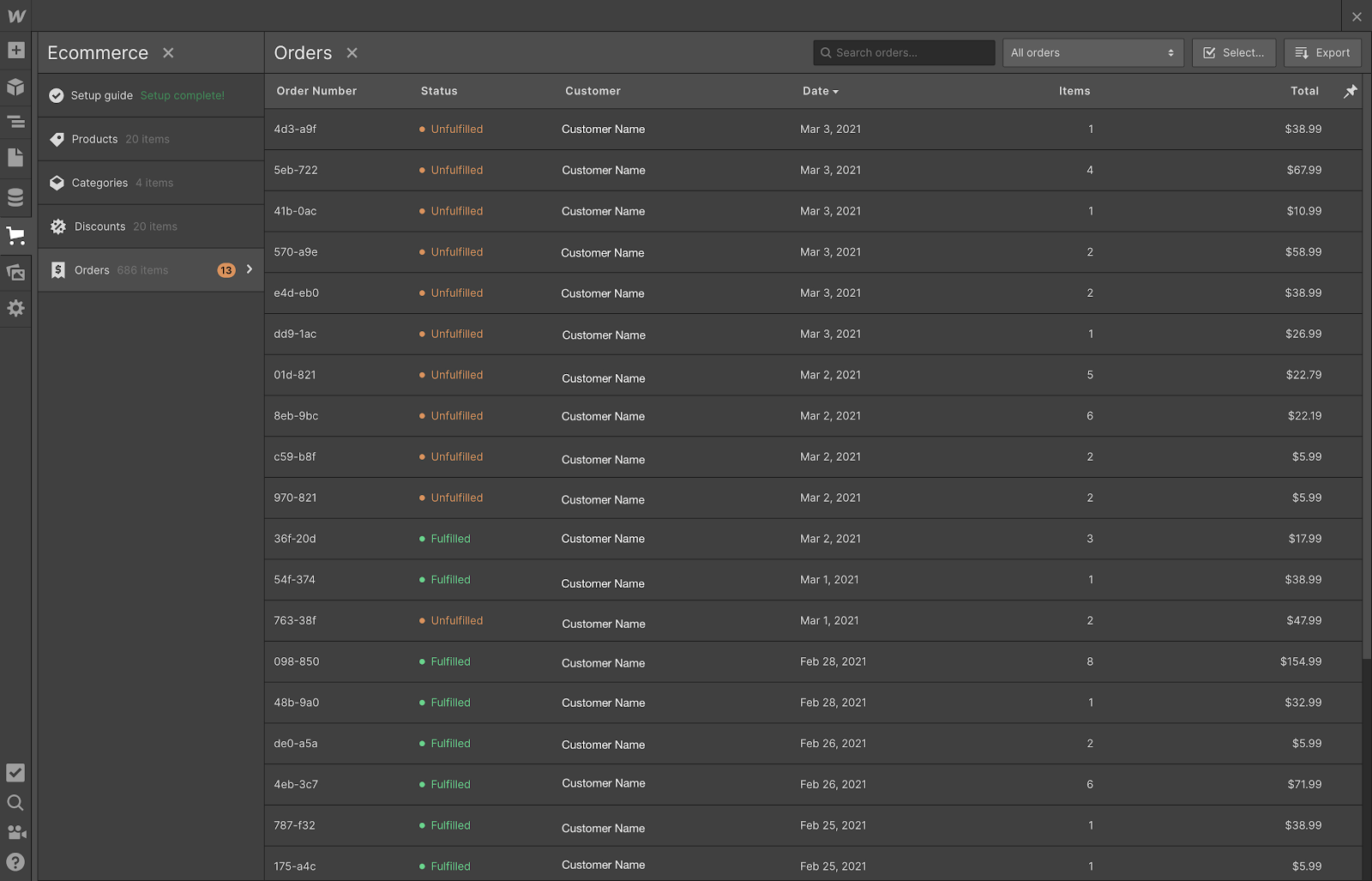
- Starting price
- Standard $29/mo billed annually; 2% platform transaction fee
- Standard item allowance
- 500 items, counting products, variants and categories
- Larger plans
- Plus 5,000 items and Advanced 15,000 items, no Webflow transaction fee
- CSV import
- Up to 4 MB, from the Designer
WooCommerce
Merchant controls hosting and extensions
Open-source commerce for WordPress, for teams that want to own hosting, code and the content model.
WooCommerce is an open-source ecommerce system for WordPress. It's the Wix alternative for teams that want control over hosting, code, plugins and their content model rather than a managed website subscription. That control is valuable when the store needs unusual product data or deep editorial integration. It also means you own more of the maintenance and security work.
WooCommerce says its core software is free and that hosting, payment processing and optional extensions are separate expenses. No platform subscription doesn't mean a zero-cost store. Budget for a reliable host, backups, updates, performance monitoring and support for plugins that affect checkout. A store with many custom extensions can get expensive to run even if the core license stays free.
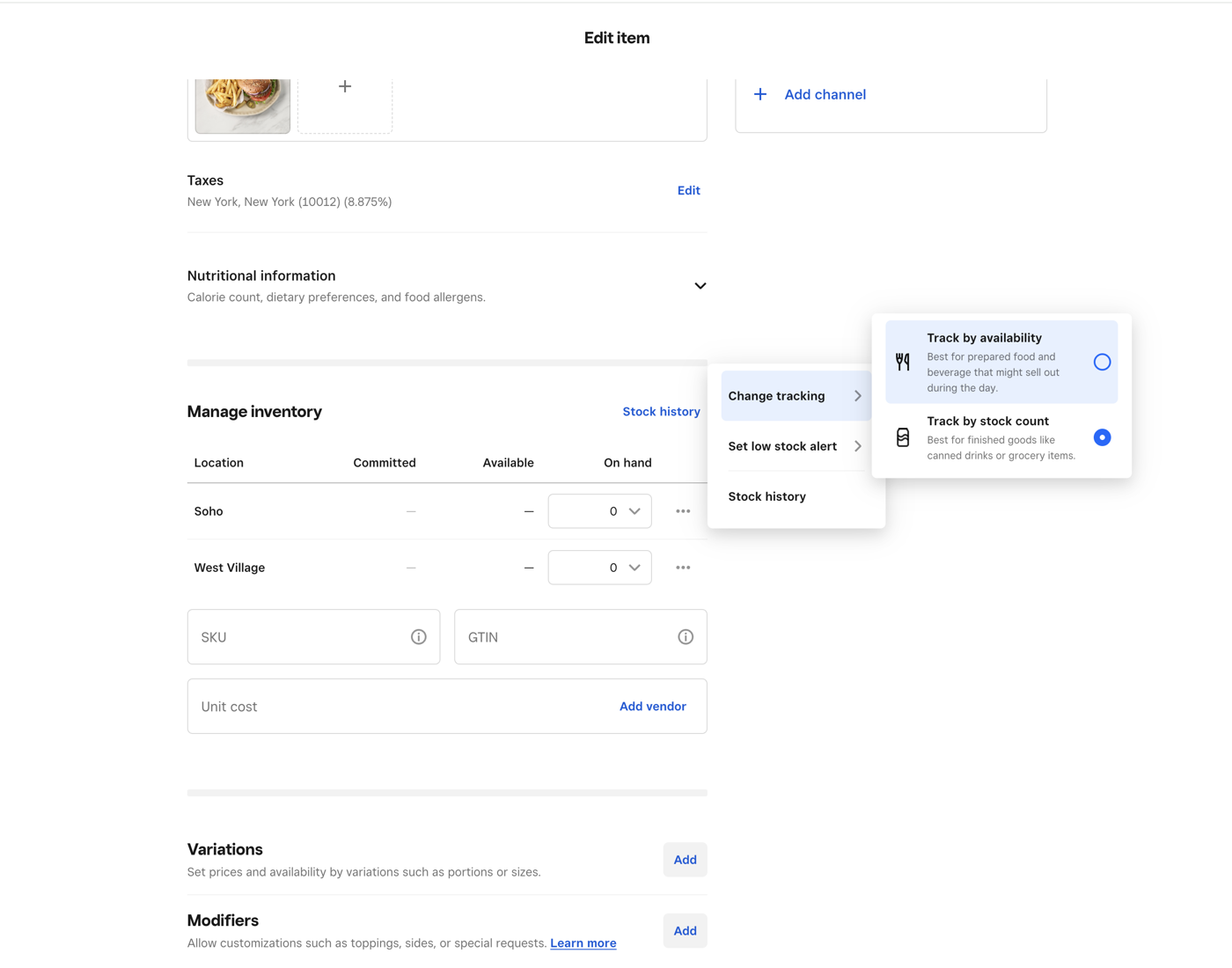
WooCommerce documents a built-in product CSV importer and exporter. The importer supports product data mapping and can update existing items by ID or SKU, but you still have to normalize attributes, variants, image URLs and tax classes. Export the Wix catalog, build a mapping sheet and test a few simple and variable products before moving everything. Rebuild critical redirects and validate product pages, checkout and transactional emails on staging before changing the domain.
WooCommerce publishes an official guide for migrating from Wix. It covers a product CSV import, plugins or an extension for customers and orders, and 301 redirects. WooPayments has no monthly fee and lists a US range of about 2.5% to 2.9% plus 30 cents per transaction. The core importer ignores unrecognized columns by default, so check the column mapping before you run it.
WooCommerce isn't ideal for a team that wants every technical decision handled by a hosted platform. Plugin conflicts, hosting performance and payment updates all need someone who's accountable. Keep WordPress content migration separate from order and customer data migration, since they don't share methods and often don't share tools. Choose WooCommerce when control and extensibility justify the ongoing work. Skip it if your team doesn't want to maintain a WordPress stack.
- you already run WordPress with a reliable maintenance process
- you want control over hosting, plugins and checkout
- nobody will own backups, security updates and emergency fixes
- you want one vendor responsible for uptime
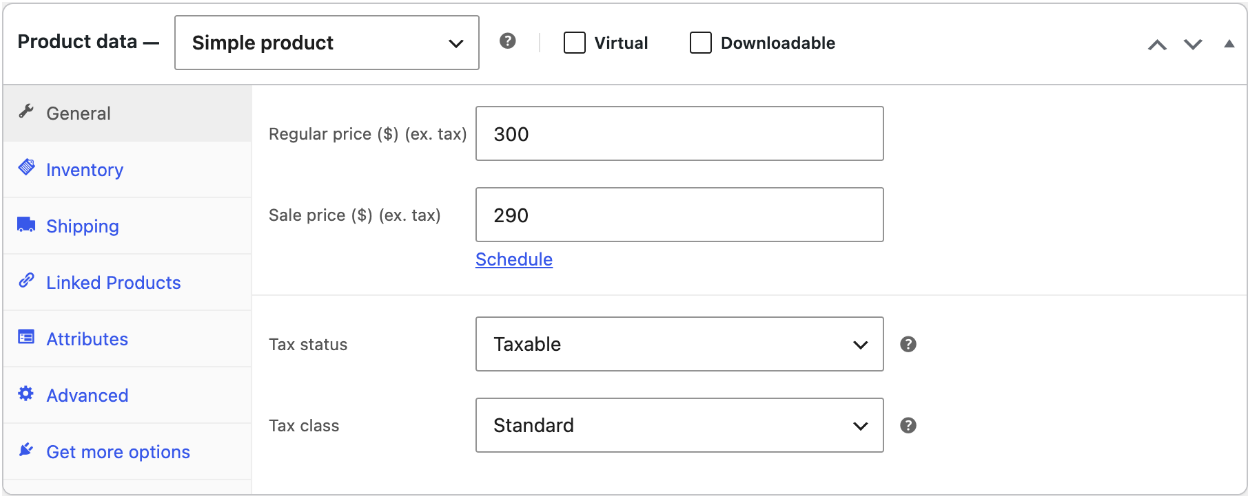
- Starting price
- Free core; hosting and extensions extra
- Core software
- Free; hosting, payments and extensions are separate costs
- CSV importer
- Built in, for products and variations
- Official Wix guide
- Covers CSV import, customer and order tools, 301 redirects
How should stores compare Wix alternatives by total cost?
Stores should compare Wix alternatives by the full monthly cost of running orders, not just the subscription they'll see on the pricing page. Payment processing, transaction fees, apps, hosting, extra staff and support can all change the ranking, and they often do. A cheap plan isn't cheap once the business needs several add-ons or a high-volume payment flow.
Keep fixed subscriptions and variable fees on separate lines, and give every candidate the same volumes (the fee model below shows how). For BigCommerce, evaluate its Open Payment Provider policy and GMV thresholds. For Webflow, include the Standard plan's 2% platform transaction fee. For WooCommerce, include hosting, maintenance and extensions even though the core software is free. For Shopify, check the exact billing cycle and payment provider.
The decision should also account for migration effort. If your store's got strong organic rankings, expect a significant one-time project to rebuild pages and redirects. A complex subscription business will need extra data migration work. A universal dollar figure for these costs would be a guess, so request quotes against a documented scope and compare the totals over the same period.
- Export all products and variant attributes
- Record old URLs and search landing pages
- Map customers, orders and subscriptions separately
- Confirm annual versus monthly subscription prices
- Calculate payment and platform transaction fees
- Test taxes, shipping and returns
- Run a small import and verify redirects
- Assign post-launch monitoring and support
What mistakes cause a Wix migration to fail?
Wix migrations fail when teams treat a catalog import as a full site migration, forget high-value URLs or don't notice what changes at checkout. A store can look complete in preview while customer accounts, discount rules or fulfillment notifications are missing. Those failures usually don't show up until real orders start arriving.
The best prevention is a staged acceptance plan, and it's cheap compared with a failed launch. Test payment authorization, refunds, taxes, shipping zones, order notifications and mobile checkout before you change the domain. Then compare the first live orders against the old store's expected behavior. Keep the old data export, a rollback plan and named owners for customer support, finance and SEO. Don't make launch day the first time the operations team's seen the new dashboard.
How can a Wix store compare payment fees fairly?
A Wix store can compare payment fees fairly by modeling the same basket size, payment method and order count across the candidates. Subscription pricing is only one input. The model also needs the processor's percentage, fixed per-order fee, platform transaction charge and any payment-provider surcharge. Without those components, a lower subscription looks cheaper even when checkout costs aren't.
Start with the actual card mix from the current store. Separate domestic cards, international cards, wallets and alternative payment methods. Use the official published fee for each destination platform and note whether the rate depends on a specific payment provider or plan. Shopify's rates depend on the plan and payment setup. BigCommerce now distinguishes embedded providers from open providers, while Webflow's Standard ecommerce tier adds its own platform transaction fee. Square also differentiates online processing by subscription tier.
Keep the arithmetic transparent. A percentage fee is applied to the eligible transaction amount, while a fixed fee is charged per transaction. Refunds, partial captures and cross-border sales may follow different rules. Use your own monthly order count and gross processed value into a spreadsheet. Show a low-volume month and a peak month, because a plan that wins in a quiet period can lose during a seasonal campaign.
Also check how payment disputes, failed payments and tax collection show up in the reports. If the new provider changes reconciliation, finance may spend more time closing the month. That cost is real even though it isn't a line item on the platform invoice. A fair comparison uses current vendor terms and the store's actual data, then documents every assumption.
Which Wix integrations need a separate migration plan?
Wix integrations need their own migration plan whenever they hold data or control a workflow outside the product catalog, and they're easy to forget. Email marketing, subscriptions, reviews, loyalty points, shipping labels, tax calculation and customer support can each contain records that won't appear in a standard product export. A platform may have a replacement app, but that doesn't mean the old data or account entitlements move automatically.
Build an integration inventory with four columns: current tool, data owned, replacement method and migration owner. Record how each system identifies a customer and product. A review app may match by SKU, while an email platform uses an email address and a subscription service uses its own contract identifier. If those identifiers change during the move, historical activity can't be tied back to the new storefront.
Subscription businesses can't afford to improvise. Customers often have active recurring payment agreements that can't simply be recreated from a CSV. Verify the payment provider's token portability rules, the subscription app's migration process and the customer communication plan. Test renewal dates, skipped payments and cancellation flows before launching. A storefront that looks finished can still be unusable if the next renewal charge fails or a customer can't manage an existing subscription.
Reviews and loyalty programs need a similar check. Decide whether imported reviews preserve authorship and verification status. Confirm whether loyalty balances and coupons remain valid, and document any customer-facing change. Include privacy and consent obligations for marketing lists in the migration plan. Don't assume every contact can be transferred and messaged under identical permissions.
How should a Wix migration be tested before launch?
A Wix migration should be tested in a staging or preview environment with realistic products, customer paths and checkout scenarios. One successful test order is useful, but it doesn't cover the exceptions that cause most support tickets. The acceptance plan should involve the ecommerce manager, finance owner, customer service lead and whoever maintains the product catalog.
Test at least a simple order, a discounted order, a shipment to a different tax jurisdiction and a refund. If the store sells physical and digital products, test both. Check that inventory decrements correctly and that order emails contain accurate item descriptions, shipping charges and links. Confirm that the destination's analytics records each purchase once and doesn't duplicate it through multiple tags.
Run a separate SEO pass; it's not covered by order testing. Crawl the old Wix site to collect canonical URLs, headings, metadata and image references. Compare them against the destination's planned URLs and generate a redirect list. Check that product pages don't accidentally go noindex during launch and that internal links point straight at their new destinations. Keep the staging site blocked from indexing, and make sure the live site isn't blocked after cutover.
Launch with a named incident owner and a monitoring window you've agreed in advance. Watch payment failures, inventory mismatches, checkout errors, customer questions and broken URLs. Keep a rollback decision point that considers both orders already accepted on the new store and any payments that can't be moved back. A good migration is a controlled operational change. It isn't just a website redesign.
When is staying on Wix the better decision?
Staying on Wix is the better decision when the store's limitations are minor and the migration cost would outweigh what you'd gain. Don't change platforms because a ranking says another builder is best. The business case should identify a recurring problem that the replacement solves and show that the new operating model is affordable.
A small store may already have reliable checkout, adequate inventory handling and strong search traffic, so there's nothing to fix. If you mostly want a new landing page or a different visual style, rebuilding the site adds redirect, analytics and customer-data risk you don't need. See whether the current Wix tools or a limited integration can solve the issue first. That's the better first move when staff time is scarce and the store isn't processing complex orders.
A migration becomes more defensible when the current platform forces repeated manual work. Examples include reconciling marketplace inventory by spreadsheet, re-keying wholesale orders or maintaining separate online and in-store product lists. Document the hours and error patterns, then compare them with what the proposed destination would cost. The goal's a simpler operation, not a fashionable platform name.
How do you check the product feed after leaving Wix?
A replatform changes the source of every product feed that leaves the store. The new catalog generates the product IDs, prices, currency and availability, and a mapping mistake can reach Google Merchant Center before anyone's noticed. After launch, check the feed before you sync it, then compare each new version against the last one to see what changed. Our own tool, The Ecom Director, checks XML, CSV and TSV feeds for missing attributes, price and currency problems and duplicate IDs. It doesn't fix or transform a feed, so it's a check, not a replacement for your platform's export settings.
Frequently asked questions about Wix alternatives
Wix alternatives differ most in commerce depth, design control and who maintains the technology. These answers clarify the choices that most often affect a migration decision.
What is the best Wix alternative for an online store?
Shopify is the strongest general starting point when product operations and multichannel selling drive the decision. Squarespace and Webflow can be better for a design-led store with a manageable catalog.
Which Wix alternative is free to start?
Square offers a Free plan without a monthly software subscription, but payment processing fees apply. WooCommerce core is free software, while hosting and operating costs remain.
Can I move Wix products to Shopify?
Wix products can be migrated to Shopify using an export and import workflow. Shopify documents the process, but product fields and URL redirects still require validation.
Is Squarespace better than Wix for ecommerce?
Squarespace can be a better fit for a design-led store, but it isn't automatically better for inventory-heavy commerce. Check import limits and the current plan fees before migrating.
Does moving from Wix affect SEO?
Moving from Wix can affect SEO when page URLs, content or redirects change. Build a one-to-one redirect map and monitor indexing and broken links after launch.
Which Wix alternative should a store test first?
A store should test the platform that solves its biggest operational constraint, using a representative product catalog and a complete checkout. Shopify is the practical first pilot for growing commerce operations, Square Online for an existing Square retailer and Squarespace or Webflow for design-led brands. BigCommerce and WooCommerce deserve a pilot when platform control and scaling requirements are more demanding.
For broader comparisons, see best ecommerce platforms and best online store builders. For a separate breakdown of the incumbent, see Wix pricing. Fee details for two of the alternatives are in Shopify pricing and BigCommerce pricing.