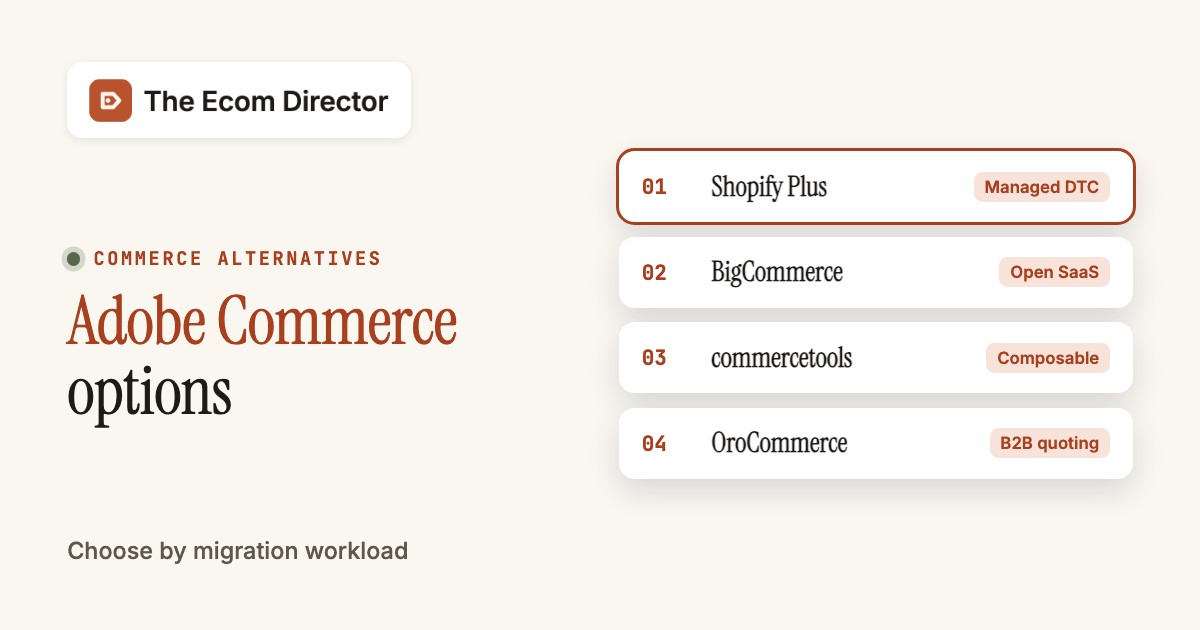
Adobe Commerce alternatives worth a serious proof of concept are Shopify Plus, BigCommerce, commercetools, OroCommerce, Shopware and VTEX. They solve different problems, so the right pick depends on what you want to leave behind: heavy maintenance, a slow release process, B2B workflows that need custom code, or a commerce stack spread across too many systems. Moving platforms doesn't remove the business rules your store's accumulated. It only changes who owns them, and who's on call when they break.
Adobe Commerce is a flexible enterprise system with company accounts, shared catalogs, quotes and several deployment models. That flexibility is also what makes leaving hard, and it's why a parity list matters. Before you ask any vendor for a demo, write down the behaviors your current store must keep and the operational problems you want gone.
Why do teams look for Adobe Commerce alternatives?
Teams look for Adobe Commerce alternatives when the cost of keeping a heavily customized store running outweighs the value of the customization. The recurring themes are developer hours, upgrade effort, extension upkeep and a license quote that grows with sales volume. A fair evaluation clearly separates what's the platform's fault from what's the fault of an aging custom implementation.
G2 lists Adobe Commerce at 4.0 out of 5 from 625 reviews (read October 31, 2026). The most recent reviews show the pattern. A verified furniture-industry reviewer wrote on October 27, 2026 that the platform is very development-intensive and that the company relies on an external agency. Israel P. (August 29, 2026, 3.5 out of 5) praised scalability and B2B workflows but said the quote-based, GMV-linked pricing can pass $22,000 a year for a smaller business before hosting and developer support. Chris B. (July 7, 2026, 2.5 out of 5) liked customer segmentation but said agencies that build on Hyva themes ran into compatibility problems. These are individual opinions, not a survey, and G2 shows them in machine-translated form on its German pages. They're still a useful source of proof-of-concept questions. If developers must approve routine price changes today, ask whether the replacement lets merchandisers do it safely, and whether there's an approval trail.
Adobe also sells more than one product under the Commerce name. Adobe Commerce as a Cloud Service is the SaaS option, where Adobe runs the application and you can't change core code. Adobe Commerce on Cloud is the PaaS option, where Adobe hosts the infrastructure while you own the code and the upgrades. Commerce Optimizer covers storefront, catalog and merchandising on top of any transaction engine. Check which one you run, because upgrade effort and code ownership differ a lot between them.
Which Adobe Commerce alternative solves each switching problem?
The best Adobe Commerce alternative depends on the reason for switching. Shopify Plus reduces infrastructure ownership, BigCommerce pairs hosted SaaS with open APIs, commercetools separates commerce services from storefronts, OroCommerce is built around B2B accounts and quotes, Shopware is modular and has a Magento migration plugin, and VTEX combines commerce with order management and marketplace operations.
 Managed DTCShopify PlusWorth testing when you want hosted DTC and wholesale in one admin.
 Open SaaSBigCommerceWorth testing for hosted SaaS with B2B Edition and open APIs.
 ComposablecommercetoolsWorth testing when separate storefront teams need one set of commerce services.
 B2B quotingOroCommerceWorth testing for manufacturers and distributors with negotiated orders.
 Content and B2BShopwareWorth testing for modular storefronts and a documented Magento migration path.
 OmnichannelVTEX Commerce PlatformWorth testing for marketplace and multichannel order flows.
How do Adobe Commerce alternatives compare with the incumbent?
Adobe Commerce alternatives differ in who runs the infrastructure, which buyer workflows are native and what the vendor publishes about price. The comparison starts with Adobe Commerce so you judge each replacement against what you've got today, not against a generic feature checklist.
| Tool | Primary use | Operating responsibility | Price (USD or quote) | G2 rating |
|---|---|---|---|---|
 Adobe Commerce Adobe Commerce | Enterprise commerce platform | Adobe or your team, depending on SaaS or PaaS | Custom enterprise quote | 4.0 (625) |
| Shopify Plus | Enterprise ecommerce | Hosted platform; merchant owns ERP mapping and apps | From $2,300 USD/mo | 4.4 (882) |
| BigCommerce | Hosted ecommerce | Catalog to storefront and payments | Performance from $1,499 USD/mo annual | 4.2 (585) |
| commercetools | Composable commerce | Business units and API-led carts | Custom quote; no verified public US list price | 4.6 (16) |
| OroCommerce | B2B commerce platform | RFQs, price lists and company accounts | Community Edition free; Enterprise quote based on requirements | 4.3 (37) |
| Shopware | Open commerce platform | B2B Components on the Evolve plan | Community Edition free; Evolve from €2,400/mo excl. VAT | 4.2 (197) |
| VTEX Commerce Platform | Enterprise ecommerce | Order management, marketplace tools and B2B Suite | Custom quote; no published US license amount verified | 4.5 (37) |
 The Ecom Director Our product The Ecom Director Our product | Product feed checks and monitoring | Checks product feeds before they reach Merchant Center and compares each new version | $9/month | No reviews yet |
Vendor pricing checked October 31, 2026. Adobe Commerce and most alternatives use custom quotes. Shopware publishes euro prices, which aren't converted.
Only two of the six alternatives publish a US starting price for their enterprise tier. Shopify Plus lists $2,300 per month on a three-year term and $2,500 per month on a one-year term, plus a variable platform fee for some larger businesses. BigCommerce Performance starts at $1,499 per month billed annually. Adobe, commercetools, OroCommerce and VTEX publish no list price, and Shopware's page shows euros. A valid cost comparison therefore needs written quotes with the same order volume, storefront count and support scope.
On G2, the seven platforms rate within a narrow band, which is why ratings alone shouldn't pick your shortlist.
Compare what contracts include, not only what demos show, since that's what you're signing. Ask for a written list of storefronts, environments, transaction charges, support coverage, B2B capabilities and extra services. A low license quote doesn't mean a low migration budget, and it doesn't cover the dual-running months either.
Six Adobe Commerce alternatives by migration objective
Each assessment below covers what the vendor documents, what the switch looks like for an Adobe team, what it costs and who should skip it. Facts come from vendor pricing and documentation pages and from G2, all read on October 31, 2026.
Shopify Plus: managed DTC operations and a wholesale portal
Shopify Plus is the hosted option on this list, so it suits teams that want to stop owning infrastructure and upgrade cycles. It costs $2,300 per month on a three-year term or $2,500 per month on a one-year term, and Shopify says some larger or more complex businesses also pay a variable platform fee based on revenue and business model.
Shopify Plus
Hosted enterprise platform with B2B catalogs, up to 10 stores and Plus-only checkout controls
Shopify Plus fits DTC-led brands that add a wholesale channel and want hosted operations.
- you want one hosted admin for DTC and B2B
- your team prefers extensions to owning transaction code
- your Adobe store depends on transaction rules that supported extensions can't recreate
- you need native quote negotiation out of the box
- Users like
- Ease of use is the most-mentioned strength on G2 (4.4 average from 882 reviews)
- Users dislike
- Cost is the most-mentioned complaint on G2, including the monthly fee plus transaction fees
- Source: G2, 882 reviews
- Starting price
- From $2,300 USD/mo
- Price
- $2,300 USD per month on a three-year term, $2,500 on a one-year term
- Best fit
- hosted DTC plus wholesale in one admin
- Main trade-off
- Checkout logic runs through extensions and Functions, not core code
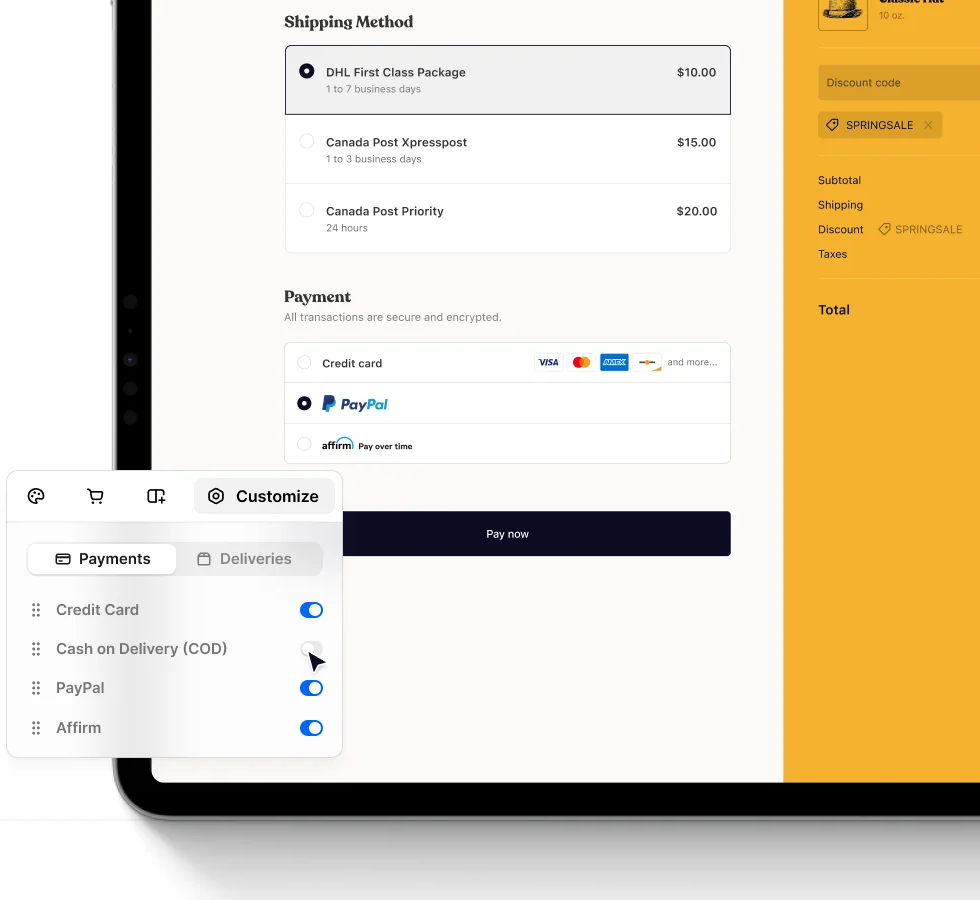
What an Adobe team gets. Shopify's B2B help pages say the three-assignment catalog limit of lower plans doesn't apply on Plus, and that on Plus you can assign catalogs directly to company locations. Companies can have several locations with their own payment terms. Advanced checkout customization is available only on Plus, and custom apps that contain Shopify Functions can run only on Plus stores. That's the replacement for Magento plugins and observers: logic moves into supported extension points. Plus also supports up to nine expansion stores alongside the main store.
Migration. Shopify's Magento guide lists four routes: CSV import, a migration app, an agency, or a custom API migration. It names no specific tool, so always plan the catalog, customer and order mapping as a project rather than a button. Use a company that's got several buying locations, separate price lists and a partial shipment as your test, then compare the ERP invoice, the checkout amount and inventory after a refund.
Cost and fit. The subscription is only part of the bill, and it's rarely the biggest part. You'll want to budget for apps, payment processing, the variable platform fee if Shopify applies it to you, and the staff who will run the store after the partner leaves. Shopify's help center mentions draft orders for B2B but not native quotes, so verify quoting in the demo if sales reps negotiate prices. Skip Shopify Plus if your current store's checkout relies on transaction rules that can't be rebuilt with supported extensions.
BigCommerce: hosted SaaS with open integration options
BigCommerce suits teams that want hosted SaaS but expect to wire their own ERP and storefront. Its Performance plan is custom priced starting at $1,499 per month billed annually, and its pricing page lists Core, Growth, Scale and Performance.
BigCommerce
GMV-based plan thresholds and Open Payment Provider Fee
BigCommerce fits hosted SaaS with B2B Edition and open APIs.
- you want hosted commerce with REST and GraphQL access for your own ERP flows
- you need company accounts and sales quotes in the same platform
- you want a published all-in B2B price
- you need deep custom transaction logic without an implementation partner
- Users like
- Ease of use is the top G2 theme (40 mentions) in 585 reviews
- Users dislike
- Limited customization (12 mentions) and cost (11) are the main G2 complaints
- Source: G2, 585 reviews
- Starting price
- Core $29/mo billed annually
- Price
- Performance from $1,499 USD per month billed annually, custom contract
- Best fit
- hosted SaaS with open integration options
- Main trade-off
- B2B Edition price isn't published
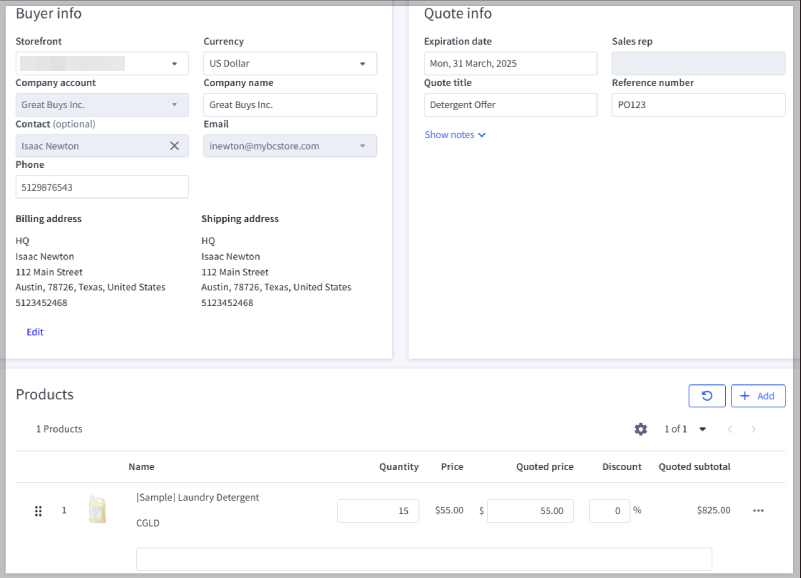
What an Adobe team gets. BigCommerce documents B2B Edition with company accounts, sales quotes, invoices on net terms and user roles, and an account hierarchy of up to five layers. BigCommerce's price lists let you set custom prices at the SKU level for customer groups. For storefronts, Catalyst is a headless framework built on Next.js and GraphQL, and one backend can run several storefronts for different brands or regions. BigCommerce's platform page doesn't say which plans include price lists, so confirm that in your contract.
Migration. BigCommerce says its Data Migration app is free up to 500,000 records and lists Adobe Commerce as a supported source, moving products, variants, categories, customers, order history and SEO redirects. Run it on a copy first, and reconcile counts before you trust it. For ERP sync, the marketplace lists a NetSuite connector for B2B Edition from a partner, which syncs companies, orders, invoices and payments.
Cost and fit. Card processing starts at 2.89% plus $0.29 per transaction on all plans, and the open payment provider fee is 2.0% on Core, 1.0% on Growth, 0.6% on Scale and none under contracted terms on Performance. B2B Edition pricing isn't on the public page. On G2, reviewers praise ease of use and criticize limited customization, and one reviewer pointed to few reputable third-party apps. Skip BigCommerce if you'd expect to write deep transaction logic yourself without a partner.
commercetools: composable architecture with separate storefront teams
commercetools is an API-first commerce engine, so it fits organizations with their own engineering teams that want several storefronts on one set of services. It publishes no price and says its model is order based rather than GMV based.
commercetools
Business units and API-led carts
commercetools fits teams that build their own storefronts on shared commerce APIs.
- several teams or regions need different storefronts on one commerce backend
- your organization can fund and run a headless build
- you have no in-house developers or partner
- you want a ready-made storefront nontechnical staff can run
- Starting price
- Custom quote; no verified public US list price
- Price
- Custom, order-based quote; no public list price
- Best fit
- composable architecture with separate storefront teams
- Main trade-off
- You choose and integrate the storefront, search and content layers
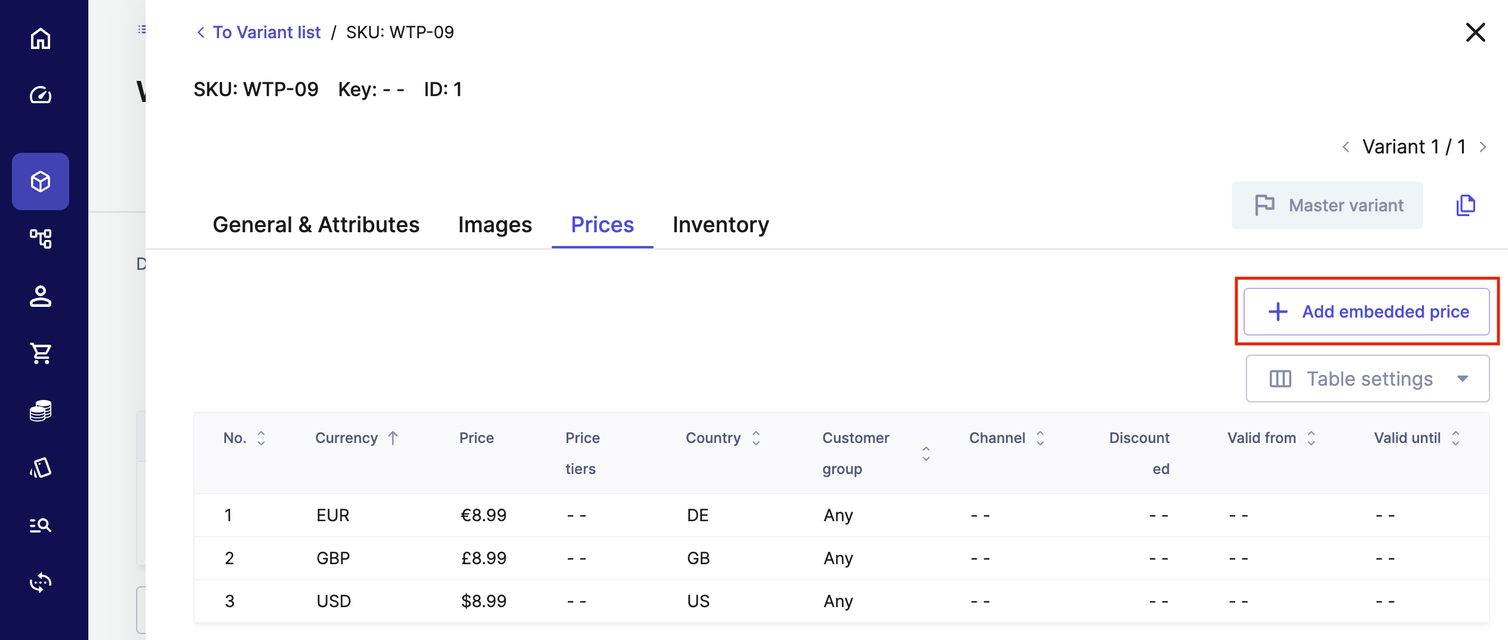
What an Adobe team gets. commercetools' documentation covers Business Units that represent companies or divisions with associates and roles, and Quotes for negotiating custom pricing and terms in the Merchant Center and through the API. Prices are scoped by currency, country, customer group and channel. API Extensions let you add business logic that runs around API calls, which is the closest match to Magento plugin-style customization. Stores with Product Selections model different assortments per storefront, and Checkout offers rule-based payment routing with public connectors such as Adyen, PayPal and Stripe.
Migration. commercetools' Import API bulk-loads business units, customers, orders, products and prices at 20 resources per request. commercetools publishes an Adobe Commerce migration resources page but it names no tools, so budget for your own mapping scripts. A composable rebuild is an architecture program, not a license swap: you must also select a storefront framework, a content stack, search and observability.
Cost and fit. Pricing's by quote. Its G2 rating is 4.6, but it's based on only 16 reviews, which isn't enough to infer much. In a proof of concept, push a customer-group price from the ERP, check cart totals in two frontends, then break an event consumer and verify retries. Skip commercetools if nobody on your team can own a headless build.
OroCommerce: manufacturers and distributors with negotiated B2B orders
OroCommerce is built for B2B selling, with quotes, price lists and account structures as core features instead of add-ons. It publishes no price. Licenses are aligned to GMV bands, and the number of admin users and the hosting choice also affect the bill.
OroCommerce
RFQs, price lists and company accounts
OroCommerce fits manufacturers and distributors that negotiate prices and quotes.
- sales reps negotiate quotes and revise prices
- you sell through company accounts with customer-specific price lists
- you run a straightforward consumer brand
- you want a published price or a lightweight build
- Users like
- G2 reviewers (4.3 from 37 reviews) highlight B2B fit, support and customizability
- Users dislike
- G2 reviewers flag the learning curve and onboarding
- Source: G2, 37 reviews
- Starting price
- Community Edition free; Enterprise quote based on requirements
- Price
- Custom quote; GMV band, admin users (Enterprise includes 25) and hosting affect it
- Best fit
- B2B with RFQ and customer price lists
- Main trade-off
- Multi-website and AI features are Enterprise only
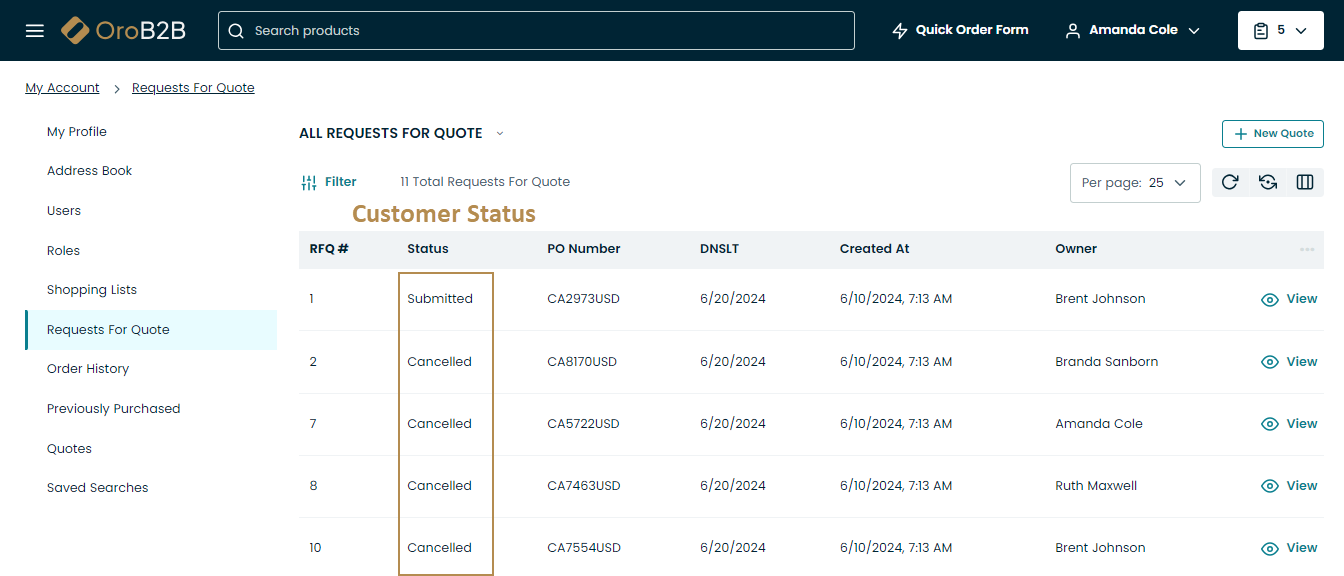
What an Adobe team gets. A customer submits a request for a quote in the storefront and it becomes available in the back office for a rep to process. Price lists can be assigned per customer or inherited from the customer group, with a fallback setting. The platform exposes a REST API that follows the JSON:API specification. Oro also documents OroMarketplace, a model with one operator and multiple sellers. OroCommerce's own comparison page argues that Adobe needs an external CPQ tool for negotiation while Oro handles it natively. That's a vendor claim, so test it in your demo.
Editions and cost. The Community Edition is free and open source. Multi-website and enhanced workflows are Enterprise features, and the pricing page says there's no extra license for OroPay but a transaction fee applies. OroCloud, your own cloud and on-premise are all options, with hosting costs depending on environments and regions. Oro's documentation shows no official Magento migration tool, so treat the move as a custom project built on imports and the API.
Fit. Test with two company accounts that have different entitlements, ask for a quote revision and confirm the wrong account can't see the negotiated prices. Ask exactly what's in the license, because admin users, hosting and OroPay fees all change the number. Skip OroCommerce if you sell mostly to consumers. You'd pay for B2B depth you won't use.
Shopware: modular storefront control and content-driven commerce
Shopware also publishes a Migration Assistant plugin with a Magento profile. Its pricing page shows euros, excluding VAT: Community is free, Rise starts at EUR 600 per month, Evolve at EUR 2,400 and Beyond is custom.
Shopware
B2B Components on the Evolve plan
Shopware fits teams that want modular storefront control and B2B features by edition.
- merchandisers build campaign pages and need storefront control
- you want a vendor-supported Magento migration plugin
- you expect advanced B2B functions in the entry tier
- you can't absorb plugin compatibility work after updates
- Users like
- G2 reviewers (4.2 from 197 reviews) praise customizability and ease of use
- Users dislike
- G2 reviewers cite cost, update issues and complex setup
- Source: G2, 197 reviews
- Starting price
- Community Edition free; Evolve from €2,400/mo excl. VAT
- Price
- Rise from EUR 600 per month, Evolve from EUR 2,400, Beyond by quote (euros, excl. VAT)
- Best fit
- content-led storefronts with B2B components
- Main trade-off
- B2B features depend on the edition you buy
What an Adobe team gets. Shopware's docs say B2B Components, which include quote management, order approval, employee management, quick orders, shopping lists and organisation units, are available from the Evolve plan through the Commercial extension. The pricing page lists customer-specific pricing, with prices brought in from an ERP through the API, only in Beyond. Rise has no quote management. Storefronts are modeled as sales channels, and the extension model offers plugins that run inside the core process and apps that don't, with plugins not supported on Shopware's cloud.
Migration. The Shopware Migration Assistant has a Magento profile, published as a plugin whose README says it adds Magento 2.x profiles to the assistant. The README gives no version matrix, so test it against your Adobe Commerce version. Expect B2B data, price rules and order history to need extra scripts. Rebuild one Adobe campaign page in Shopping Experiences and migrate a representative catalog. That's your test.
Cost and fit. The euro prices aren't converted here, and no US dollar contract amount is confirmed publicly. Ask for an itemized extension and maintenance plan, because paid extensions and update work are what G2 reviewers complain about, and they're what you'll pay for every year.
VTEX Commerce Platform: omnichannel retail and marketplace operations
VTEX is the pick when order orchestration across channels is the main problem. Its pricing page publishes no rates, only a sales form that asks for annual GMV in US dollars.
VTEX Commerce Platform
Commerce suite with order management, marketplace tools and a B2B Suite
VTEX Commerce Platform fits omnichannel retail and marketplace operations.
- you coordinate first-party products and marketplace sellers
- you need order management across web, stores and B2B
- you need a simple single-store checkout
- you can't fund a unified commerce program
- Users like
- G2 reviewers (4.5 from 37 reviews) highlight ease of use and support
- Users dislike
- G2 themes include complex implementation and cost
- Source: G2, 37 reviews
- Starting price
- Custom quote; no published US license amount verified
- Price
- Custom quote; no published license amount
- Best fit
- marketplace sellers and multichannel order flows
- Main trade-off
- Complex implementation is a recurring G2 theme
What an Adobe team gets. VTEX describes order orchestration across all channels, including ecommerce, brick-and-mortar, marketplace and B2B. Its documentation says every VTEX store can act as a marketplace or as a seller in other marketplaces, and describes four order flow types. For B2B, the B2B Suite installs seven apps covering organizations, permissions, quotes and carts, order history and checkout settings, and price tables can be set per organization. FastStore is the headless storefront toolkit, built with React, Next.js and GraphQL. VTEX's own comparison page says its order management and marketplace features are built into the platform, where Adobe lacks them natively. That's a vendor claim, so ask for the contract list of included modules.
Migration. Vendor documentation shows no official Magento migration tool. VTEX documents catalog import by API or spreadsheet, so a catalog move is straightforward but B2B entitlements and order history need a custom plan.
Cost and fit. Because nothing's published, negotiate the module list, seller onboarding scope and environments in writing. In a proof of concept, place a basket with a first-party item and a marketplace item, cancel one shipment and verify inventory, seller settlement and who answers the customer. Skip VTEX if you run one store with a plain checkout. You'd carry marketplace complexity you don't need.
How should a team compare migration cost with staying on Adobe Commerce?
Compare the full cost of migrating with the cost of maintaining and improving the current implementation, using the same time horizon, catalog, transaction volume, support obligations and staffing assumptions. A new platform can cut some maintenance and still require expensive integrations.
Start with the current state, because that's the baseline. Record license and hosting costs, extension subscriptions, engineering hours, partner support, failed-order incidents and the cost of delayed campaigns. Separate one-off remediation projects from recurring operations, since they're funded differently. If the store carries technical debt, don't blame all of it on the platform's design.
Build a target-state budget for each shortlisted platform. Include data migration, catalog mapping, new themes, payment testing, search indexing, ERP connections, identity migration, accessibility work, analytics validation and redirects, plus a period of parallel operations so finance sees the real cash impact. The contract should say which items are included and which aren't.
Estimate a credible stay-on-Adobe option too. It's the baseline everything else is judged against. It might include removing obsolete extensions, moving to a supported deployment model, cleaning product data and adding monitoring. A migration that costs more than the expected savings can still make sense for a strategic capability, but leadership should approve that trade-off explicitly.
What should move from Adobe Commerce during a migration?
A migration should preserve the records and rules needed to serve existing customers without breaking fulfillment or search visibility. Product data, customer entitlements, order history and redirects need separate owners because they don't all move through the same tool.
Catalog and inventory. Export products, categories, variants, media, prices and stock ownership. Validate SKU uniqueness and the mapping between parent products and variants. Record which system owns availability when several warehouses or marketplaces are involved, because that's the first thing to drift.
B2B contracts. Adobe Commerce shared catalogs can restrict visibility and pricing by company. A replacement must prove equivalent access control if that's part of your business. Migrate company locations, users, permissions, quote history and payment terms only after sales and finance approve the target model.
Orders and refunds. Keep the identifiers that customer service and accounting rely on. A completed order isn't enough: test partial capture, shipment cancellation, returns, store credit and refunds. If historical orders stay in the old system, document how agents'll reach them and for how long.
Search and content. Build a redirect inventory for product, category and editorial URLs. Check canonical tags, structured product data and pagination, since they're easy to lose in a template rebuild. Export page content separately from catalog data, and verify that your analytics events haven't lost their business meaning.
Integrations. List every scheduled job, webhook, ERP export and payment connector, and assign owners to retries and error queues. A diagram can look complete while support has no way to see a failed event, so run recovery drills before launch.
- Map each custom Adobe module to a target owner
- Prove customer-specific B2B prices and permissions
- Reconcile catalog and stock after an import
- Test authorization, capture, refund and partial fulfillment
- Validate redirects, canonical tags and product structured data
- Document integration retries and rollback criteria
- Compare three-year stay and switch costs with finance
Which Adobe Commerce alternative is better for B2B buyers?
The best Adobe Commerce alternative for B2B buyers is usually OroCommerce when quoting, account hierarchies and repeat orders drive the business, because those are core features rather than add-ons. BigCommerce B2B Edition, Shopware Evolve and above, and VTEX's B2B Suite also document company accounts and quotes. Shopify Plus covers catalogs and company locations, but its help center doesn't list native quotes. commercetools has quotes and business units but expects you to build the experience.
Never accept a general statement that a platform supports B2B. Ask the vendor to demonstrate a buyer who's got several company locations, separate budgets, negotiated prices and approval rules. Test what happens when the same SKU shows up in both a public and a contract catalog, since that's where price errors start. A wrong price isn't just a display bug: it can become a margin or trust problem.
If your reps revise quotes often, you'll want to prioritize a workable quote-to-order flow. If most wholesale customers reorder a known catalog, a simpler hosted workflow might be enough, and it'll cost less to run. Decide from observed order patterns, not from the number of checkmarks in a feature table.
Which Adobe Commerce alternative is better for a multichannel retailer?
The best Adobe Commerce alternative for a multichannel retailer is VTEX, which is the most explicit about order orchestration across channels and documents marketplace and seller flows. Shopify Plus fits retailers that want hosted multichannel with expansion stores. BigCommerce and commercetools suit teams that prefer to connect commerce services to other systems themselves.
A multichannel proof of concept should start small: one item that's sold through two channels. Change the price and availability in the source system, place competing orders and cancel one shipment. Check that the inventory ledger stays correct and that support can see what's happened. If the platform can't explain an exception, adding sales channels will amplify the problem, and you'll feel it first in support.
Marketplace operations add another layer, and it's one many teams underestimate. Seller onboarding, split orders, commissions and disputes may belong to a marketplace service rather than the storefront platform. Verify the contracted modules before you assume that an all-in-one description covers the workflow.
How should an ecommerce director choose an Adobe Commerce replacement?
Choose a replacement only after the target platform passes your hardest workflows and its three-year operating plan is acceptable. The decision should document which problems disappear, which move into integrations and which remain business-process work. A vendor's feature list can't replace a working cutover rehearsal.
Shortlist platforms by the reason you're leaving. Run the same anonymized test catalog and order cases in every proof of concept. Score catalog integrity, payment recovery, customer entitlements, merchandising autonomy and incident ownership. Keep a written no-go rule for broken refunds, missing B2B permissions or unsupported regulatory requirements. It's much easier to agree on that before you've fallen for a demo.
For teams that distribute product data to advertising channels, include feed validation in the migration plan. A feed check can find missing attributes, mismatched currencies and duplicate IDs before a marketplace rejects listings, but it doesn't rewrite product data or fix checkout. Assign an owner for the source catalog and for feed alerts.
Frequently asked questions about Adobe Commerce alternatives
These answers cover cost, deployment model and complex selling, and they don't assume a migration is always better than fixing the store you've got.
What is the best alternative to Adobe Commerce for a large DTC brand?
Shopify Plus is a practical pick if you're a large DTC brand that wants hosted operations. It's $2,300 per month on a three-year term or $2,500 on a one-year term. Check that the checkout extensions and integrations your Adobe store uses have a supported equivalent, because that's where surprises hide.
Is BigCommerce cheaper than Adobe Commerce?
BigCommerce Performance starts at $1,499 per month billed annually, while Adobe Commerce requires a quote, so there's no like-for-like list price. Total cost depends on implementation, apps, payments and support, and that's where most of the difference sits.
Can Shopify Plus replace Adobe Commerce B2B catalogs?
Shopify Plus supports B2B catalogs and direct assignment to company locations. You'll still need to test the exact pricing and permission rules you use in Adobe Commerce, and native quotes aren't listed in Shopify's help center.
Does commercetools include a complete storefront?
No. commercetools is API-first, so you'll scope the storefront and the surrounding services as part of the project, and that's usually where most of the effort goes.
Is there a tool to migrate from Adobe Commerce to another platform?
BigCommerce offers a Data Migration app that lists Adobe Commerce as a source, and Shopware's Migration Assistant plugin has a Magento profile. Other vendors don't document a dedicated tool, so you'll rely on imports, APIs and partners.
Can an Adobe Commerce migration preserve SEO rankings?
It can keep the important URL and content signals if you test redirects and canonical mapping before launch, but no vendor can guarantee rankings, so be wary of any that try.